
No Cloud Subscriptions: FLUX.2-Klein & Qwen Edit Local Image Generation
- Published:
- • Image Editing
- Updated:
- Author
-

- User
- VS
TL:DR; This post compares FLUX.2-Klein and Qwen Image Edit models for local image editing/generation. FLUX.2 Klein 4B is fast and good. FLUX.2 Klein 9B is better but but has a very restrictive license. Qwen Image Edit 2509 is fine but not my favorite for anything.
I've been running local AI image generation models for years because I don't want to send images to someone else (SaaS providers) or pay cloud subscriptions or other fees for something I should be able to do using the hardware I own just fine. "The Cloud" is just someone else's computer and I've been editing images with the computers I build for over 20 years.
Ideally you want high-end hardware for local image generation but you can get along with with mid-range hardware just fine. My current workstation has a motherboard that's 8 years old paired with a 4 year old AMD 5700X CPU - which is not as important as the GPU for local image generation but still worth mentioning perhaps.
If you're speccing out a computer build for image generation and/or large language models and on a tight budget, prioritize getting the best GPU you can with the amount of VRAM given a higher priority than if the card is considered low, midrange, or high-end by gamers. RAM should be your second highest priority and just like with VRAM more = better so don't agonize over faster memory timings too much. The motherboard and CPU, while not exactly trivial, are less important since these models use the GPU. It's possible to run image gen and LLMs on CPU but the generation speed penalty is orders of magnitude worse.
The GPU I'm currently using is an NVIDIA RTX 5060 Ti 16 GB (Studio Driver version 595.79 installed) with 64 GB DDR4 RAM and 32+ GB of that RAM is free and available for use before we start generating images. Depending on who you ask this 5060 Ti card is either low-end or mid-range for a dedicated graphics card.
Not sure how much RAM or VRAM you have? Just press CTRL+SHIFT+ESC to bring up Windows' task manager and have a look at the items listed under the Performance tab.
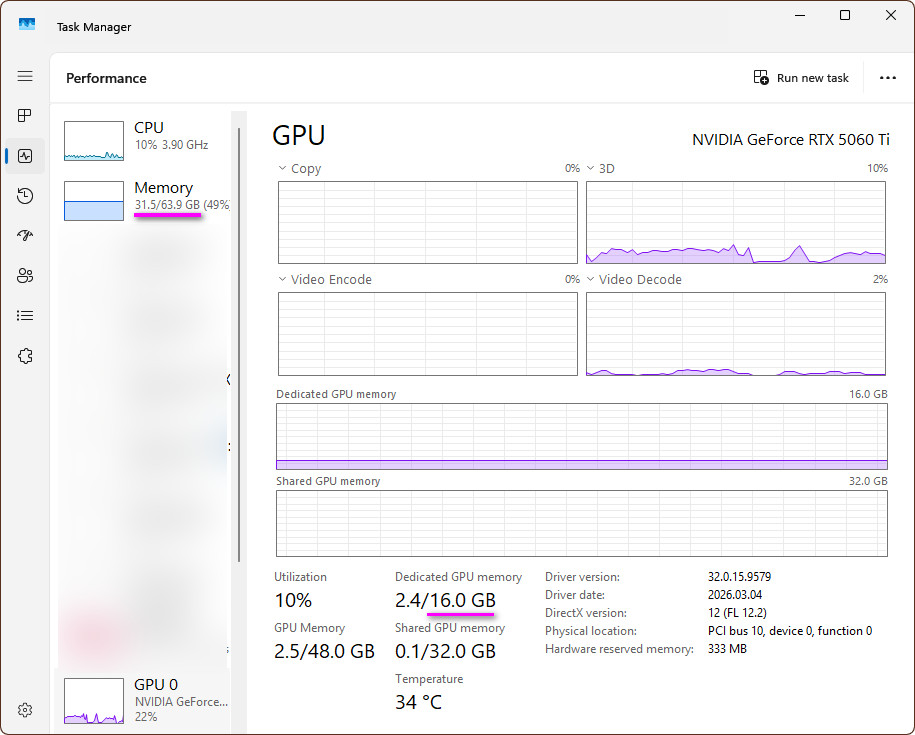
If you have less than 32 GB of RAM available for these image generation tools to gobble up you might have a worse experience than I do. You'll possibly encounter longer generation times and/or out of memory (OOM means a program tried to use more memory than the system had available) crashes or errors. Assuming you don't OOM or run into other roadblocks, the quality of your outputs is not affected at all by RAM or VRAM capacities nor by processor speeds - this is something I have seen frequently asked by newcomers to local image generation over the past 3 years. The only drawback to lesser hardware specs is the amount of time it takes to generate an output.
I 100% recommend Stability Matrix for installation and management of these kinds of local image generation tools if you aren't comfortable with the command line on Windows. It simplifies things so you don't need to touch the command line or config files to get started.
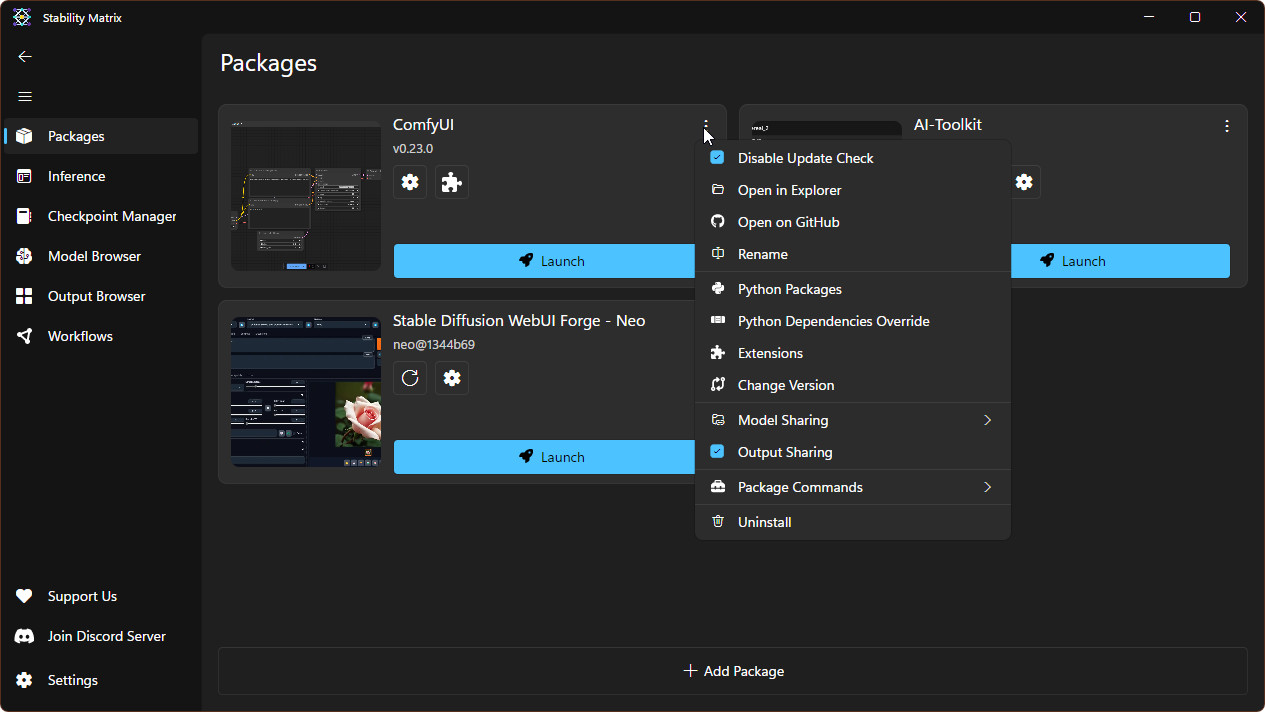
For the stable diffusion UI itself, I am using Haoming's WebUI Forge Neo rather than ComfyUI. With Forge (and other non-comfy UIs) we can focus on optimizing prompts and tweaking settings to perfect the output rather than building a user interface (or "workflow") from scratch. You will still need to find the model files (checkpoints, text encoders/LLMs, and VAE) you want or need and then figure out which folders on your computer those files need to be put into for everything to work.
Clean up this photo.
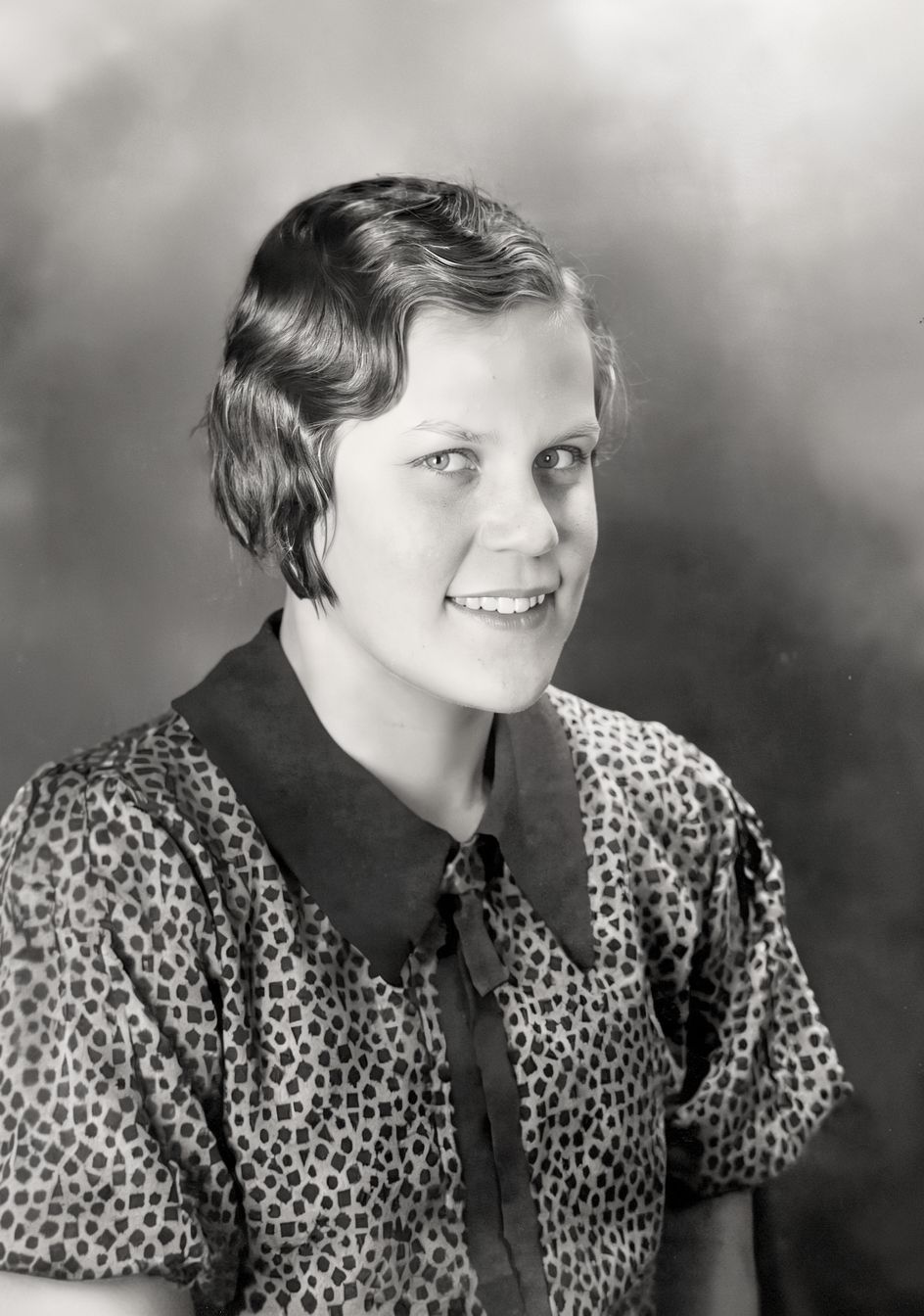
To test the differences between running these local models, I'm keeping the prompt simple and practical. It's trivially easy to find photos that could use improvement or enhancement of some kind. Today's test image is "Portrait of a Young Girl, 1932" from archive.org. These test images are my one-shot (no cherry picking) results using 4 random seeds to reduce the odds that any disappointing or impressive result is just an artifact of any particular seed.
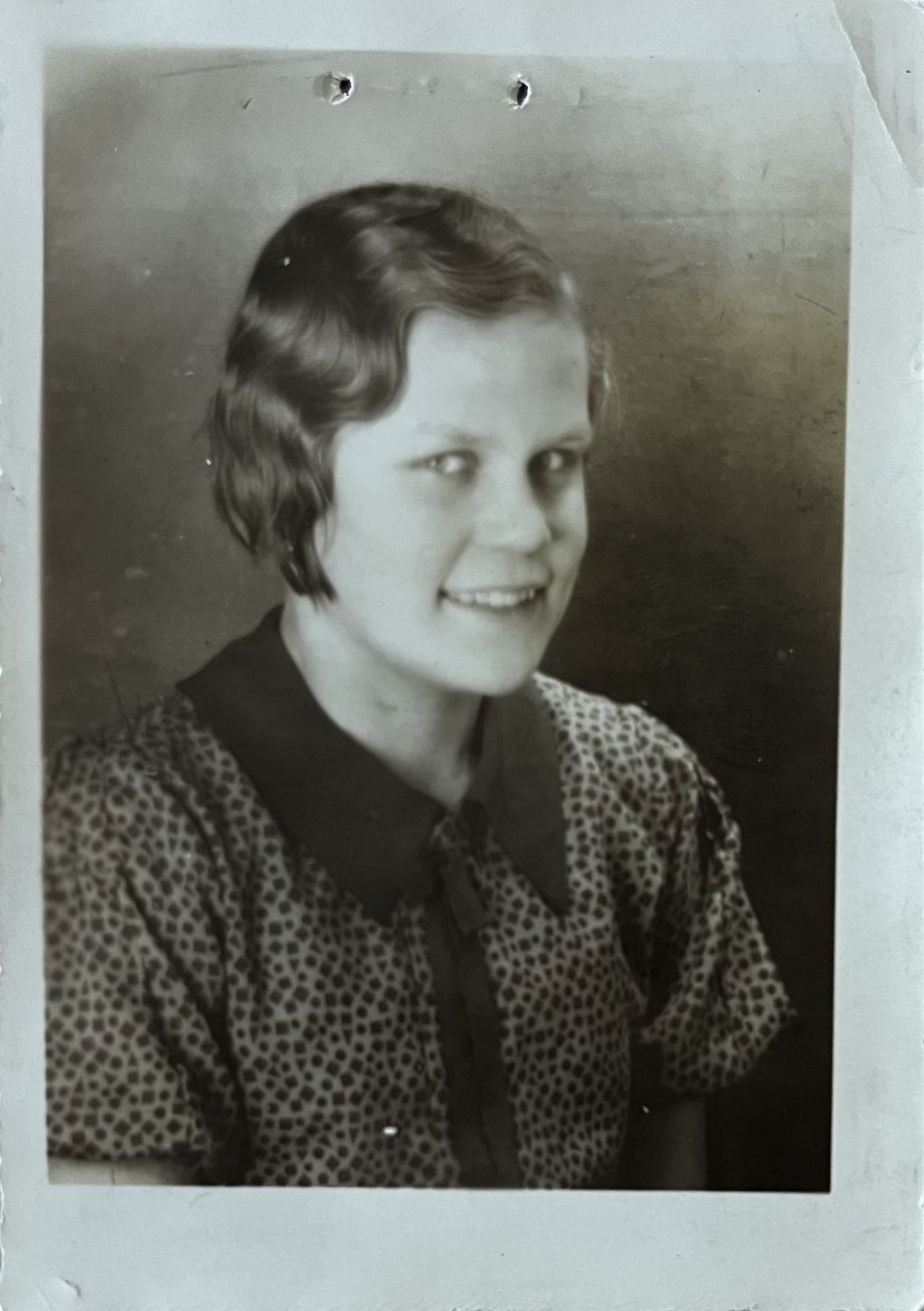
I think it's worth noting that I have tried variations of this prompt like "fix this photo/image", "enhance", "restore", and others across a variety of low quality photos and "clean up" simply works the best. Asking to additionally retain good skin textures and other similar things leads to more creativity (moles and blemishes will often be added when the input photo had none) in the outputs that I do not want for cases like this. One example that still stands out for how disappointed I was is when I tried to get better hair in the cleaned up photos by adding "silky smooth hair" instructions to the prompts and it would completely change the subject's hair style and color.
The specific models I'm using are:
- nunchaku-ai's svdq-int4_r128-qwen-image-edit-2509-lightningv2.0-4steps.safetensors
- black-forest-labs' flux-2-klein-4b.safetensors
- unsloth's flux-2-klein-9b-Q4_0.gguf
Below are the output images using those three models with Clean up this photo. for the prompt. The goal was to see how well each handles a dead-simple prompt, AKA prompt adherence. I think the prompt is vague enough to allow a more creative model to do unexpected things with the results, which can be good or bad depending on what you're after. I'm specifically looking for things like noise reduction, de-blurring, texture details, and other general enhancements without straying too far away from the original image contents.
Qwen Image Edit 2509
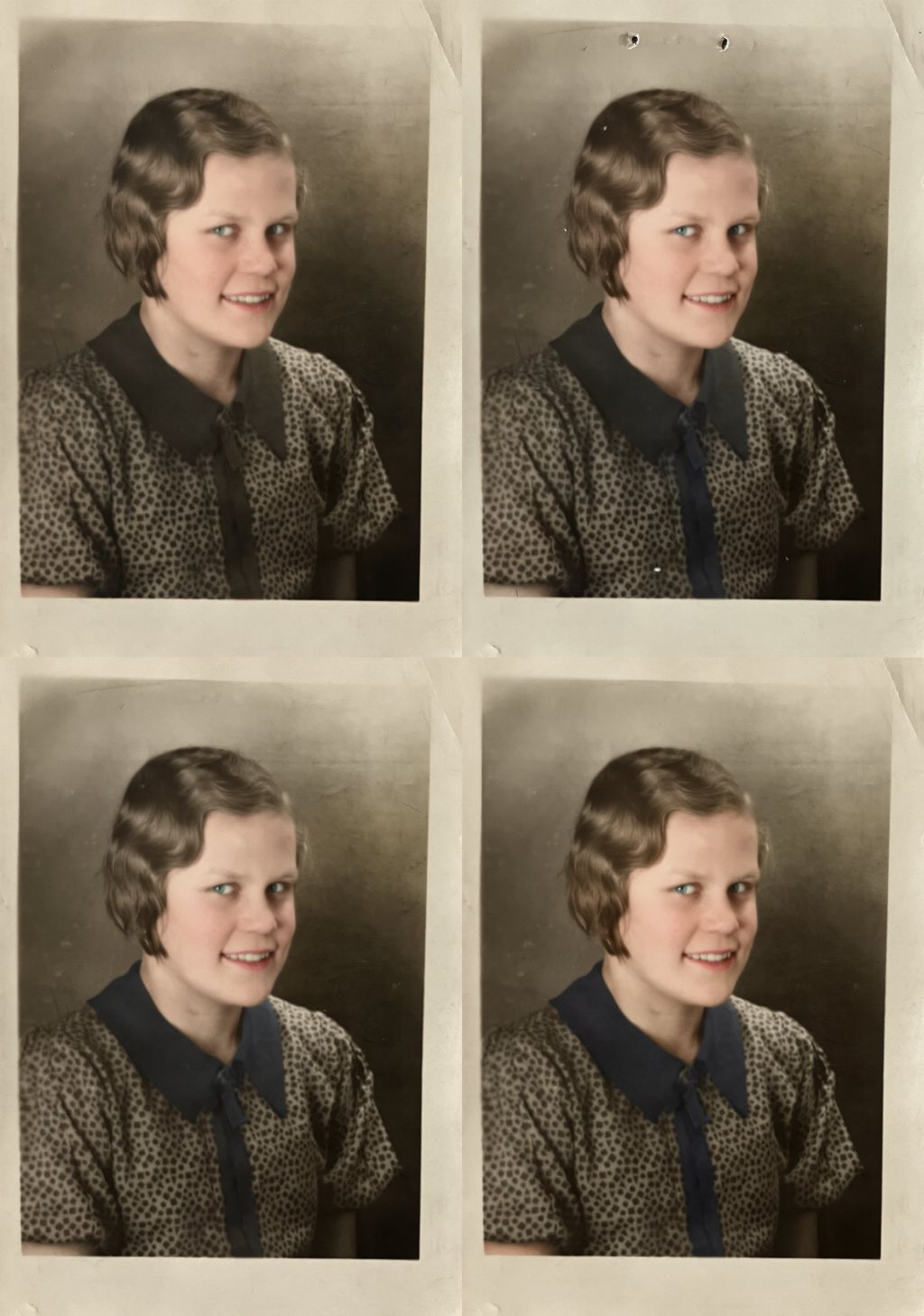
Qwen Image Edit 2509 has colorized the photo. I didn't ask for that, I could modify the prompt to tell it to keep it black and white, but I said I wasn't going to cherry-pick the results. Qwen also didn't remove the holes punched in the original photo above her head 1 out of 4 times and has mostly retained the print's paper textures. There's a faint dark line that runs horizontally across the top of her head, possibly a scanner artifact, and Qwen didn't remove it. I think "clean up this photo" is unambiguous enough that the line and holes should have been removed in all 4 of those images.
FLUX.2 Klein 4B
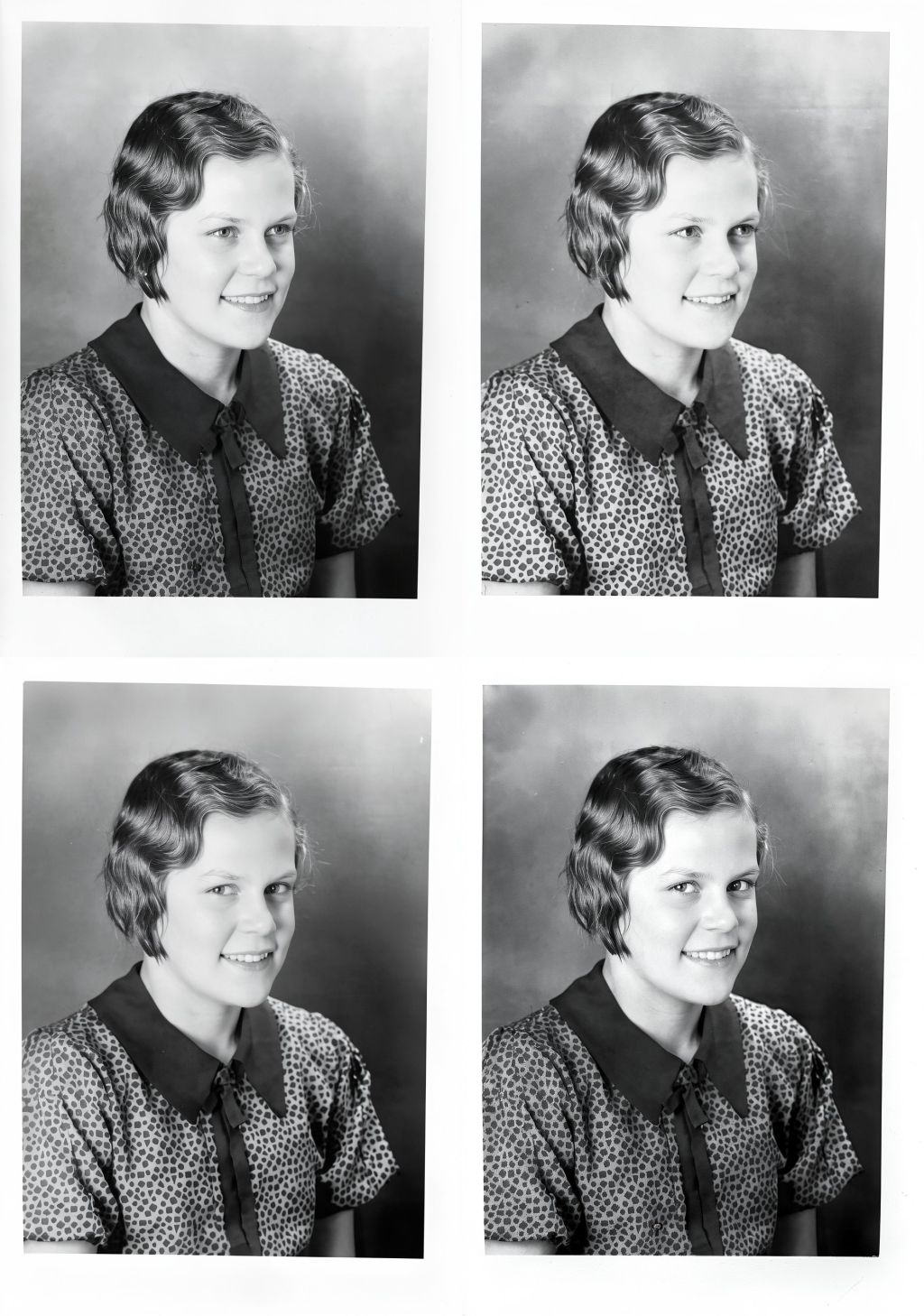
FLUX.2 Klein 4B has better prompt adherence, it didn't colorize the original black and white photo and instead removed the color cast, which I think is perfect because I didn't ask for false color to be added. The output images are MUCH sharper and detailed than Qwen's but this isn't because Qwen is a lesser model, it's the nature of outputs I've seen from all 3 of these models when they add color to an output image that had a monochrome image as the input. Keep things black and white for the initial cleanup step(s) if you want the most sharpness possible seems to be a good rule of thumb. FLUX.2 Klein 4B also changed the direction the girl is looking in 2 of these 4 generated images. All 4 of these outputs look a bit overexposed to my eye, which is disappointing, but could possibly be dealt with by modifying the prompt and trying again.
FLUX.2 Klein 9B
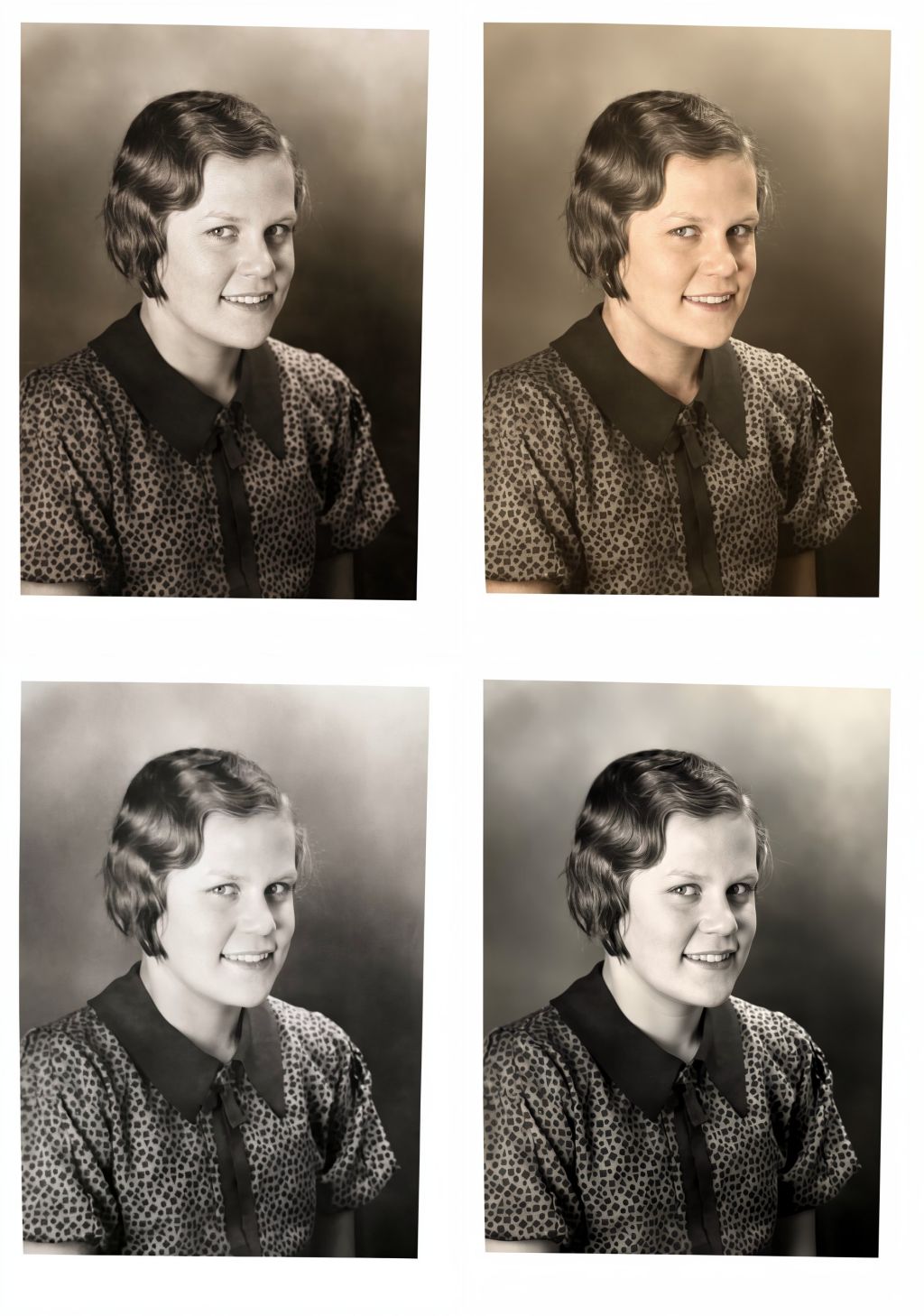
FLUX.2 Klein 9B has better prompt and input image adherence since it doesn't change the direction the girl is looking. The results look a little softer than 4B's but 9B has added color to all 4, and as I said before I believe this is just the nature of monochrome vs color output images.
This public domain image is just one that I chose to use to show how easy this stuff has become. The generation speeds for these tests have been between 1.25 and 12 seconds per iteration (or step) and with 4 steps per image that works out to between 10 and 48 seconds of my GPU running at or near 100% per image generated. I've been playing with editing images with these three models for a few months at this point and I am impressed what I can do with them sometimes. I've been editing digital images since the late 90s, some scanned prints like this test image but more often working with digital camera files - some examples here. The speed at which I can do things with these tools today is a little mind blowing. It can also be incredibly frustrating when I know exactly what I want from an output but I'm just not getting it and I can't be certain if it's a limitation of the model, the method or settings used, or if I just need to prompt better.
Clean up this black and white photo.
Let's move on and do some more fun things. I'm using the Flux.2 Klein 9B model going forward. First we'll kill the color in our outputs by changing the prompt to clean up this black and white photo.
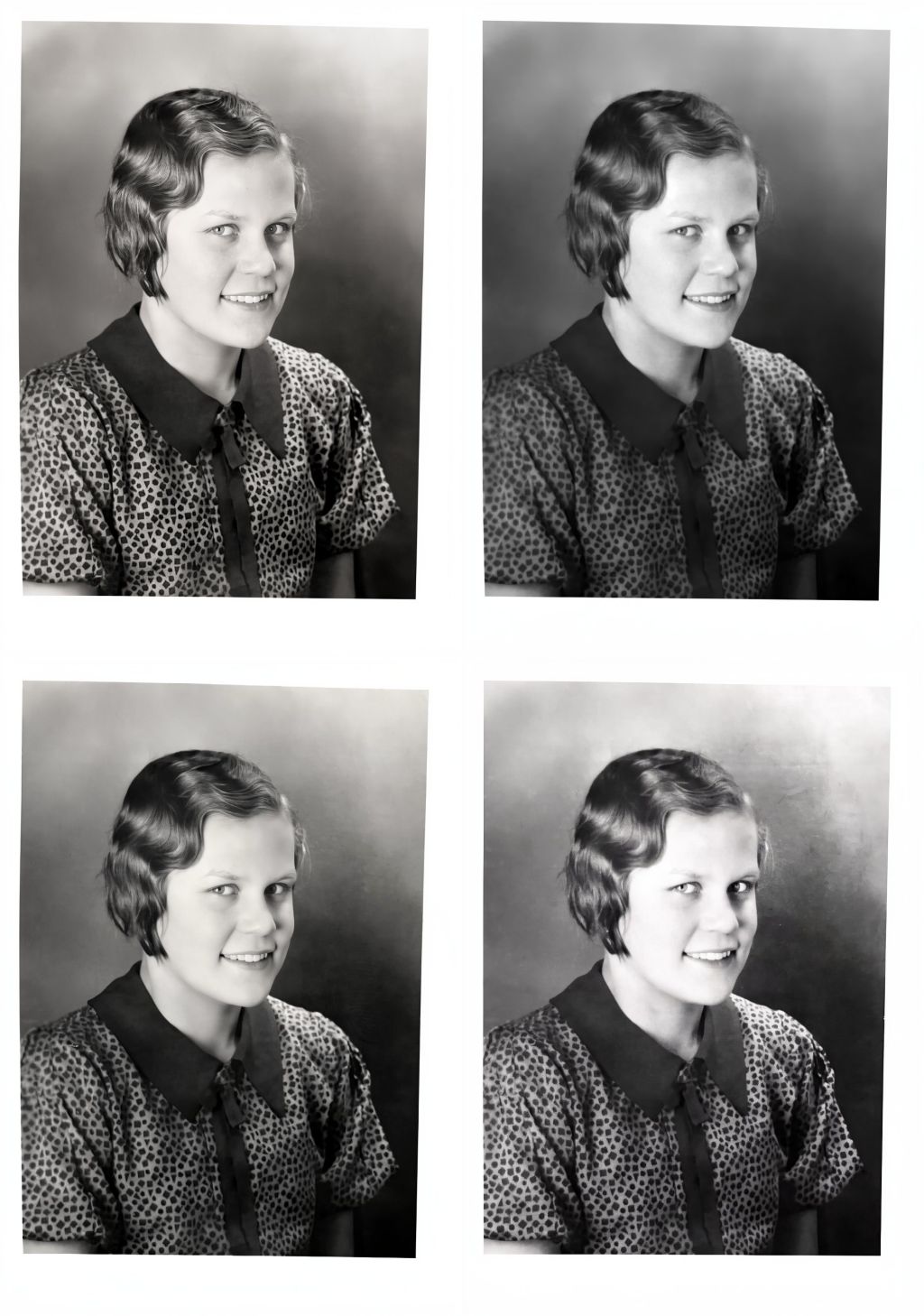
That's reasonably better, the 1st seed looks a little bit sharper than the other 3 and not overexposed like the last seed (bottom-right) is. We'll use the first image here (seed 2620037260, top-left) going forward. Change the prompt to clean up this black and white photo. zoom in to remove the white edges. keep it monochrome, do not add any colors.
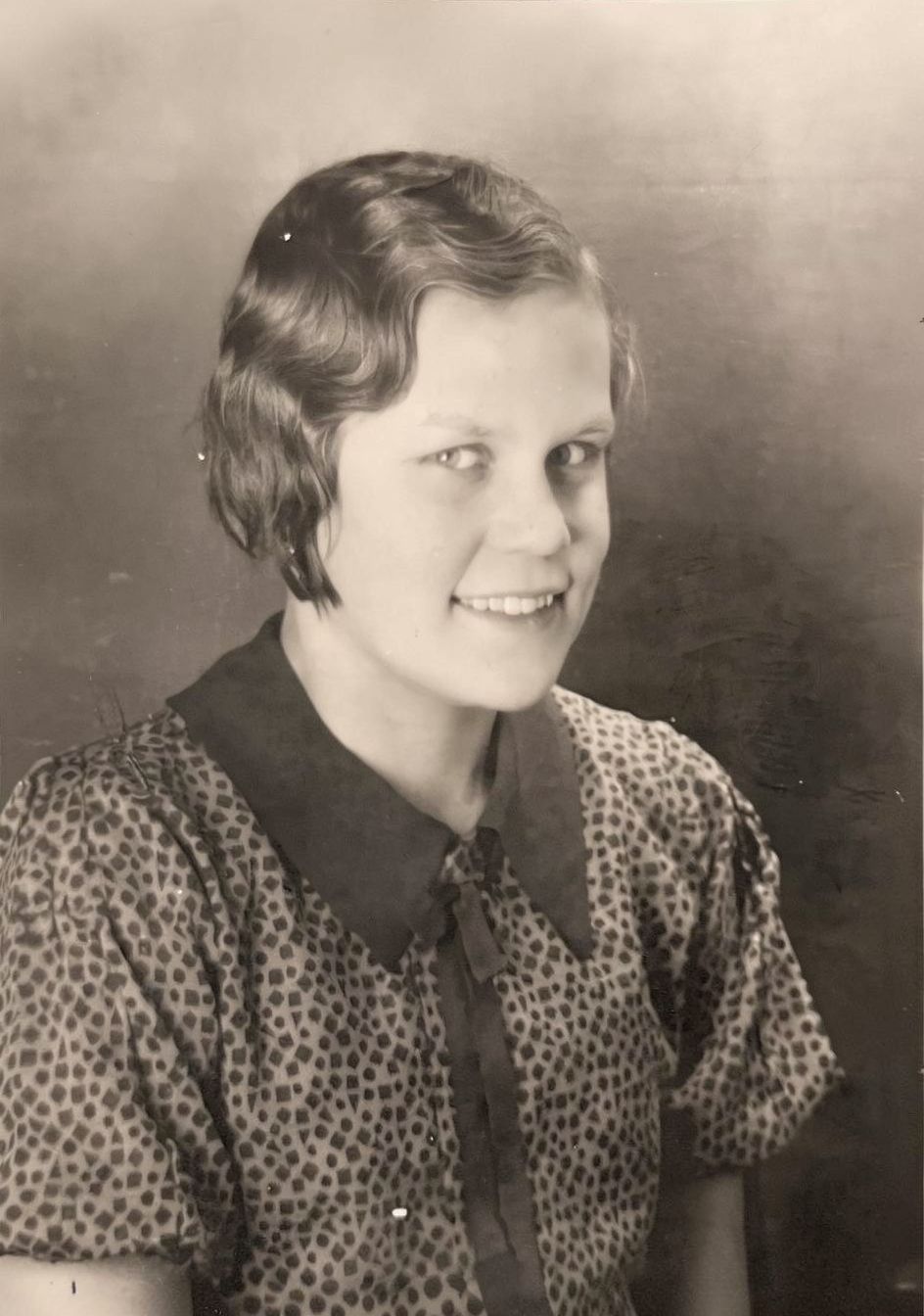
Well, that's not what I wanted, doesn't look like an improvement to me. Sometimes the output looks like you asked the model to do too many things at once and it got confused or something. This usually isn't a big problem, you just need to change up the method a little to work around an issue like this when it happens.
Let's use the output image from seed 2620037260 as the input image (instead of the original file saved from archive.org) and change the prompt to zoom in to remove the white edges. keep it monochrome, do not add any colors.
That's more like what I was expecting to see. I see a dust spot or two in this image now but I'm not bothered, that can easily be removed via more traditional image editing methods if needed. Let's turn it into a color photo. We'll use this new output photo as the input and change the prompt to clean up this color photo., change our batch count back to 4, and randomize the seeds again.
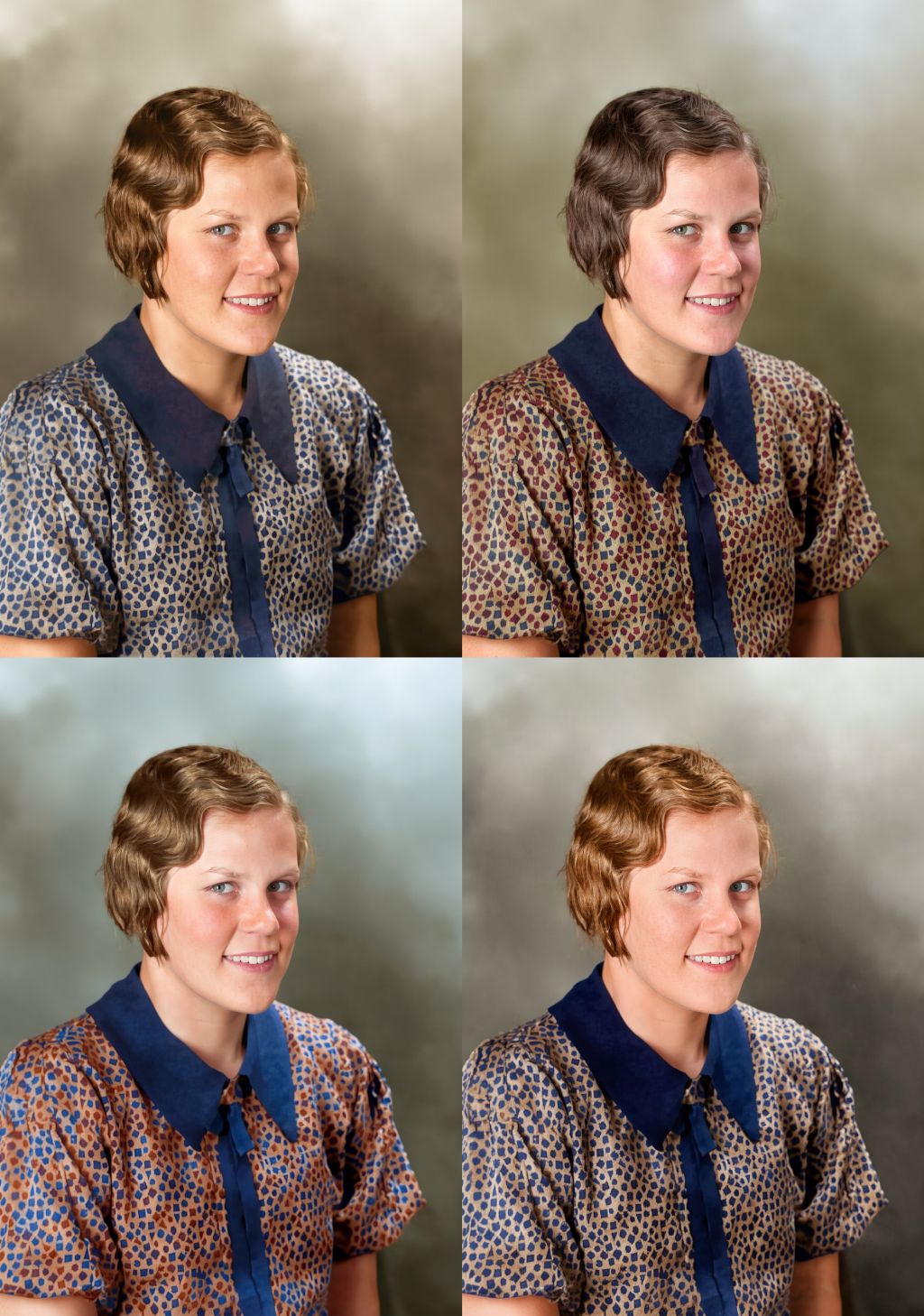
The 2nd seed here has the best skin coloration and texture, the 1st probably the most plausible shirt colorization, and I'm torn between the 1st and 3rd for best looking hair colorization. Hair texture itself has been a bit disappointing with my methods so far regardless of the model used. We can combine multiple images using layers and masking in Gimp or Photopea to keep only the best elements from each one.
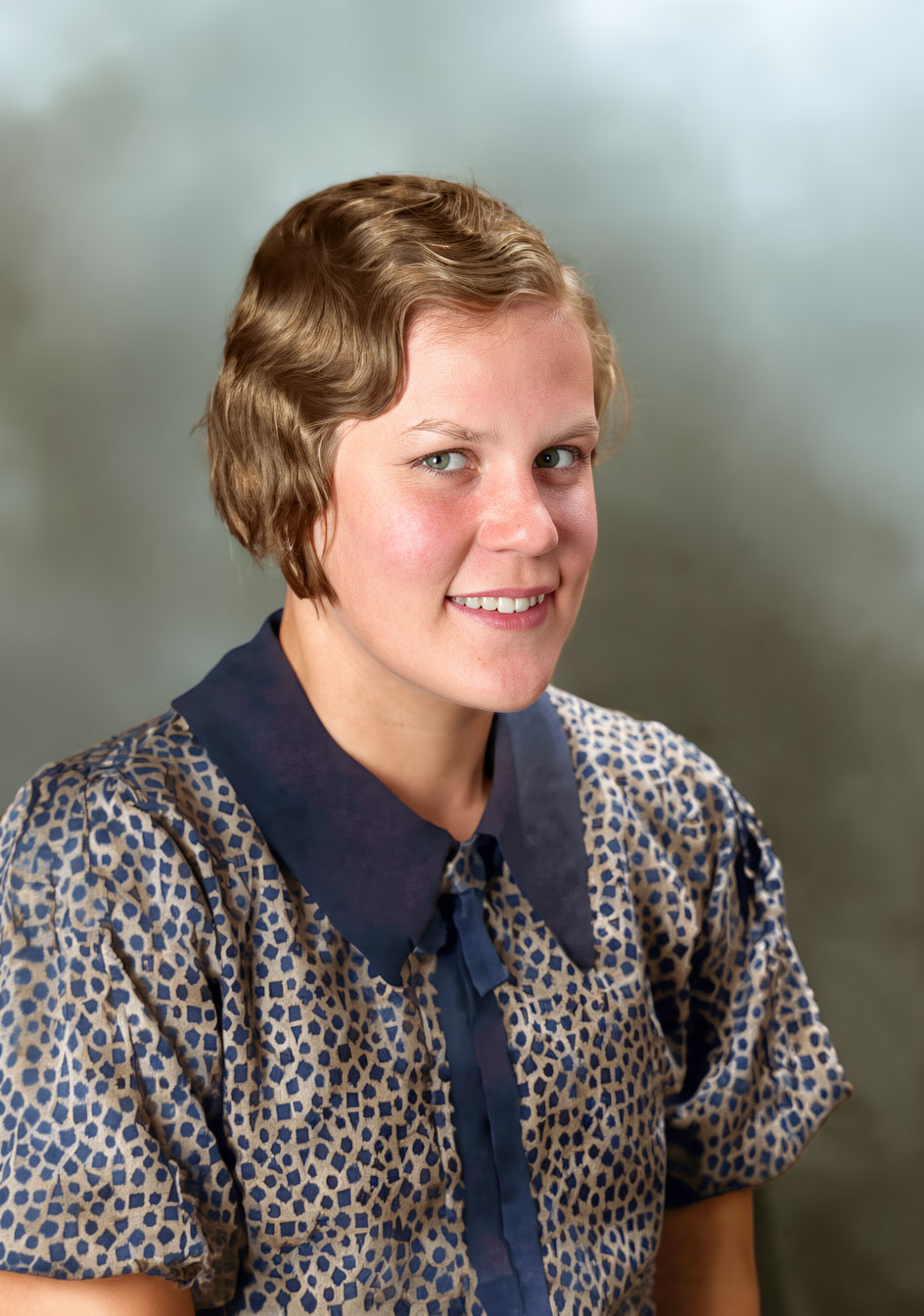
Now let's use that composited image as the input image with the clean up this photo. prompt yet again to clean up any imperfections in the masking I may have missed in the 5 to 10 minutes I spent masking things in and out.
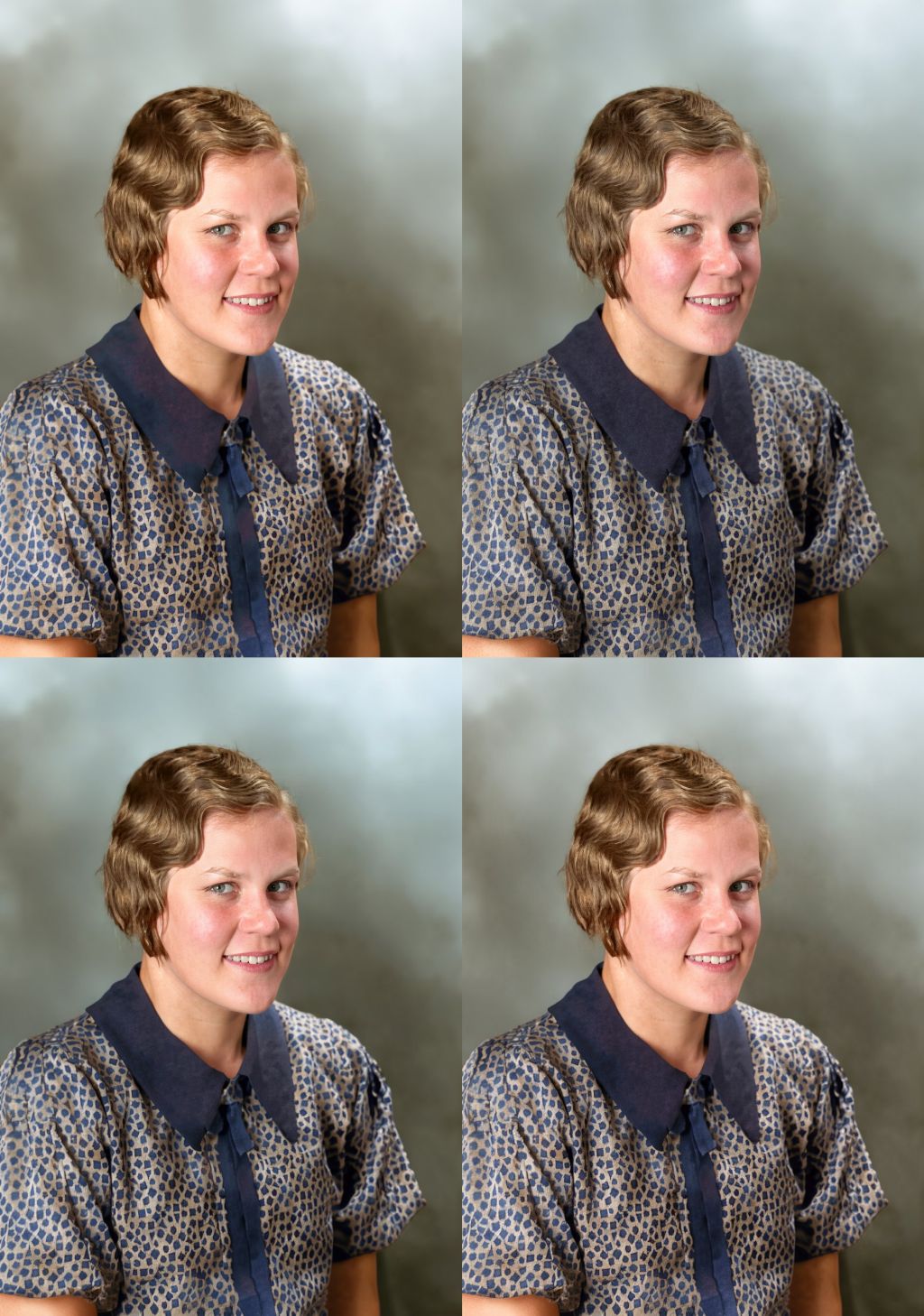
The 2nd one looks best to me, it doesn't have a weird color change/gradient on the collar like the input and other 3 output images do. Let's have some more fun using the 2nd image in this grid as the input image for more prompts.
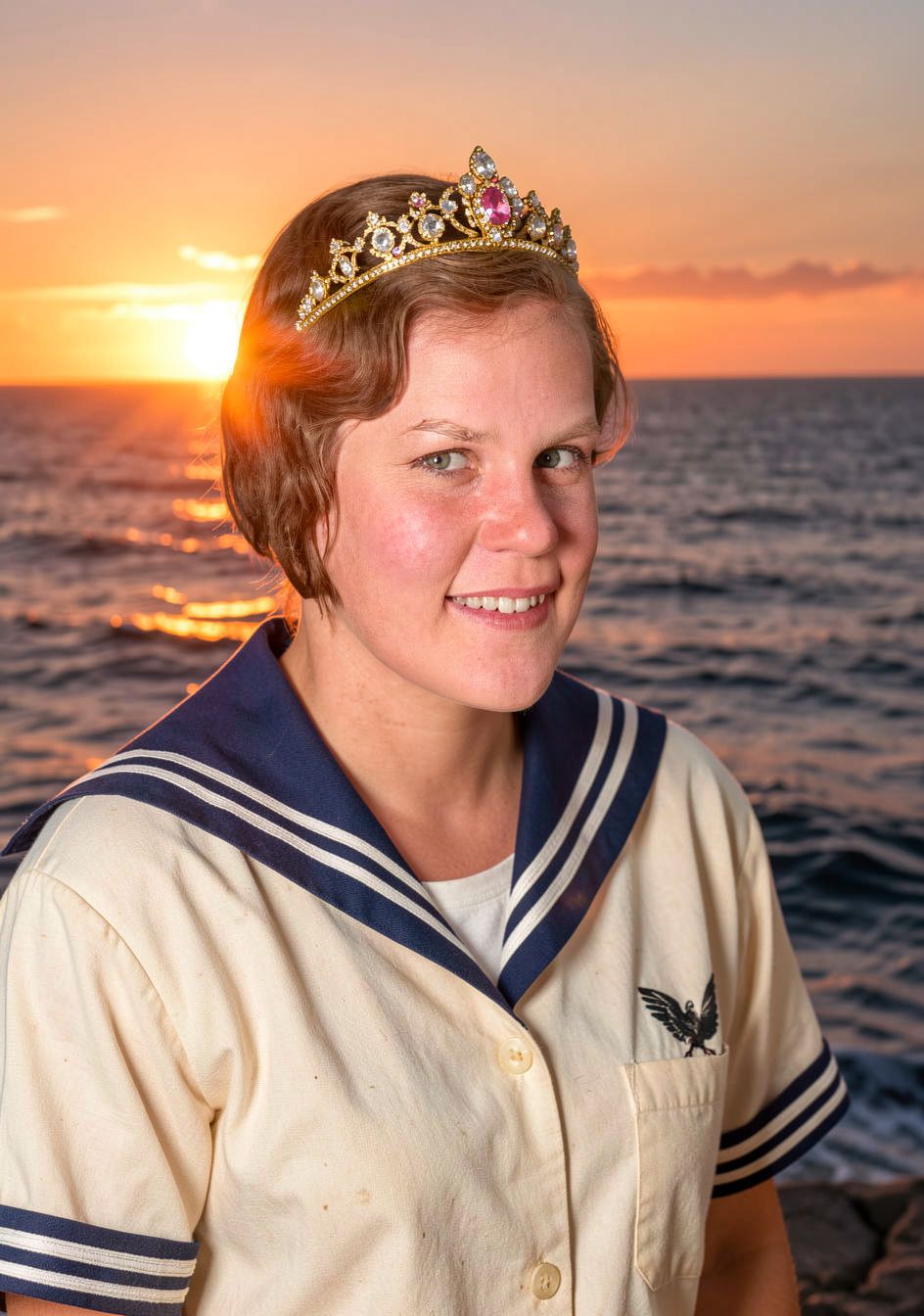
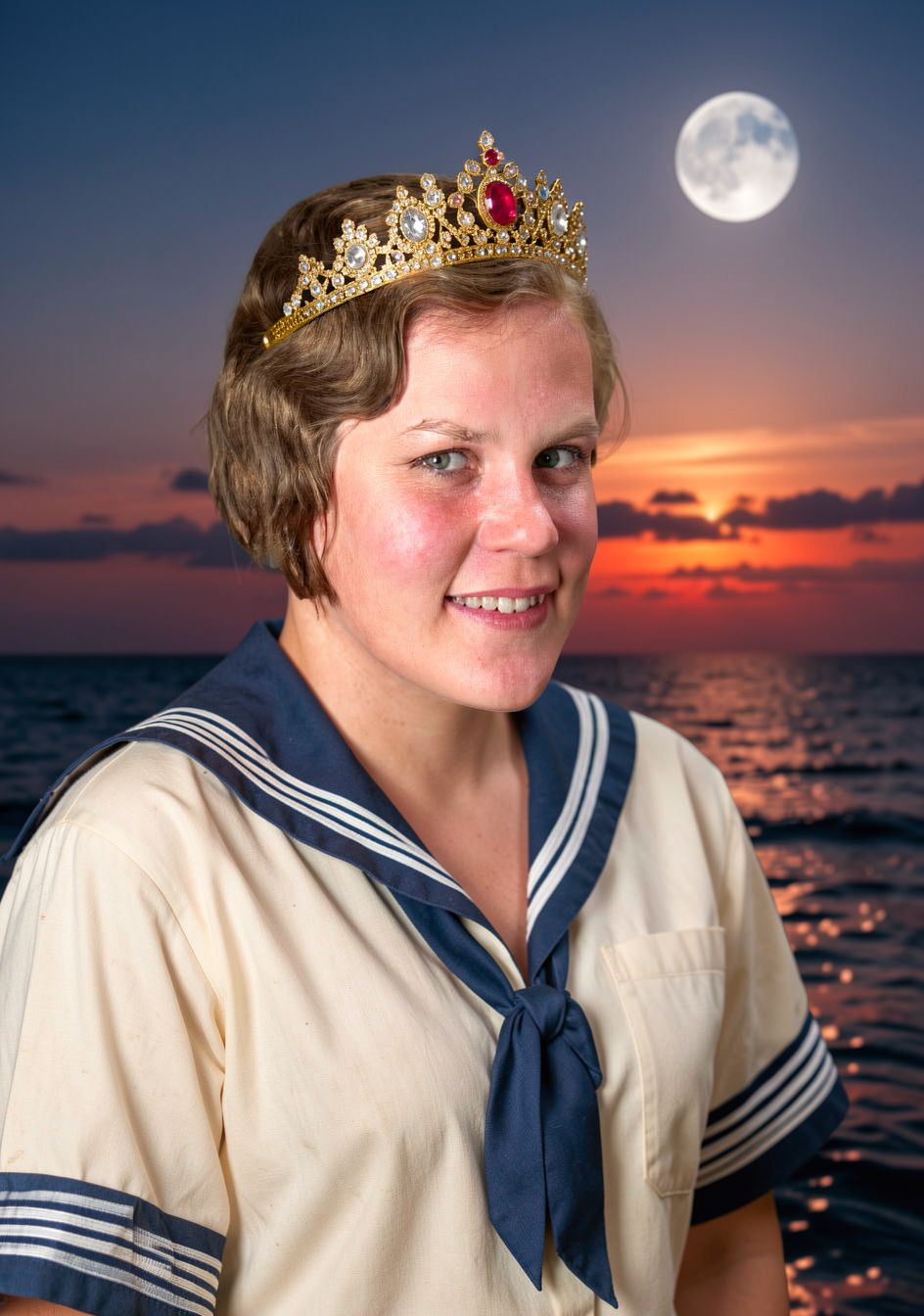
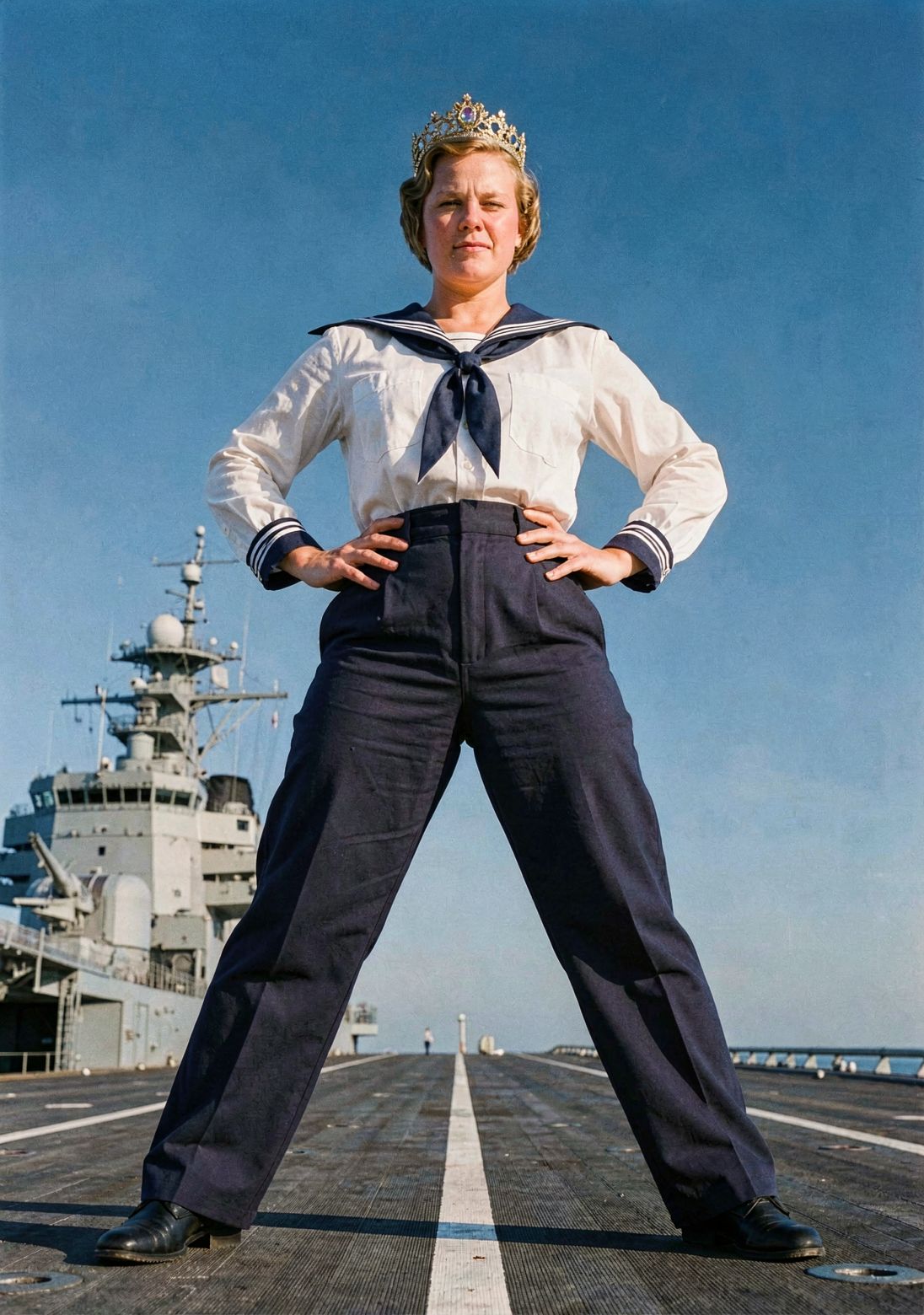
The Good
Do you need to rely on third party SaaS cloud providers and data centers to get good results with image generation and editing in 2026? Nope!
All three of the above models are a solid choice for text-based edits to photographic content, the FLUX.2 Klein 9B model has established itself as my preferred model for photorealistic images so far. The FLUX.2 Klein 4B version is the fastest of all 3 for generation speed on my hardware, but the 9B variant provides slightly better outputs while still being a little faster than Qwen in my testing.
The Bad
These models have size/resolution limits somewhere between 1 and 2 megapixels for what they can coherently generate. Hyper-inflated computer hardware prices certainly don't help anything here since upping your output size is likely to require more VRAM and/or RAM to avoid slowdowns from running out of dedicated video card memory. I don't know about you, but I certainly won't be able to use a 10+ megapixel DSLR image as input and get something equivalent or greater in resolution as the output using these tools and methods at this point in time.
Are there methods of upscaling these 1 to 2 megapixel outputs further? You bet there are! Everything I have tried so far fails to meet my ideals though. At this time I'd rather see my output images stay at their native generated resolutions than upscale them.
These two issues work together to reduce the utility of these tools and methods somewhat, but I mostly do this stuff for fun and exploration so it's not a big deal.
On a more aesthetic note, how well do these methods and tools retain the likeness of people in the original image? Only time and experimentation will tell but I have absolutely seen outputs where a person's likeness from an input image gets lost. Changing the prompt or input image(s) can sometimes get things back on track.
And then there's BFL's licensing: Black Forest Labs is using their own "FLUX Non-Commercial License" for the FLUX.2 Klein 9B model. Their FLUX.2 Klein 4B model uses the standard Apache‑2.0 license. If you intend to make money in any way (selling digital images, putting the output images onto products, etc.) from the output images it's best to not use FLUX.2 Klein 9B. FLUX.2 Klein 4B will be the model you want to use out of the 3 tested today.
The Ugly
I'd rather not get into that here. If you weren't already the kind of person that doesn't want pictures of yourself, family, and/or friends on the internet you may become one of those nutjobs. Soon™.